ScreenSnap
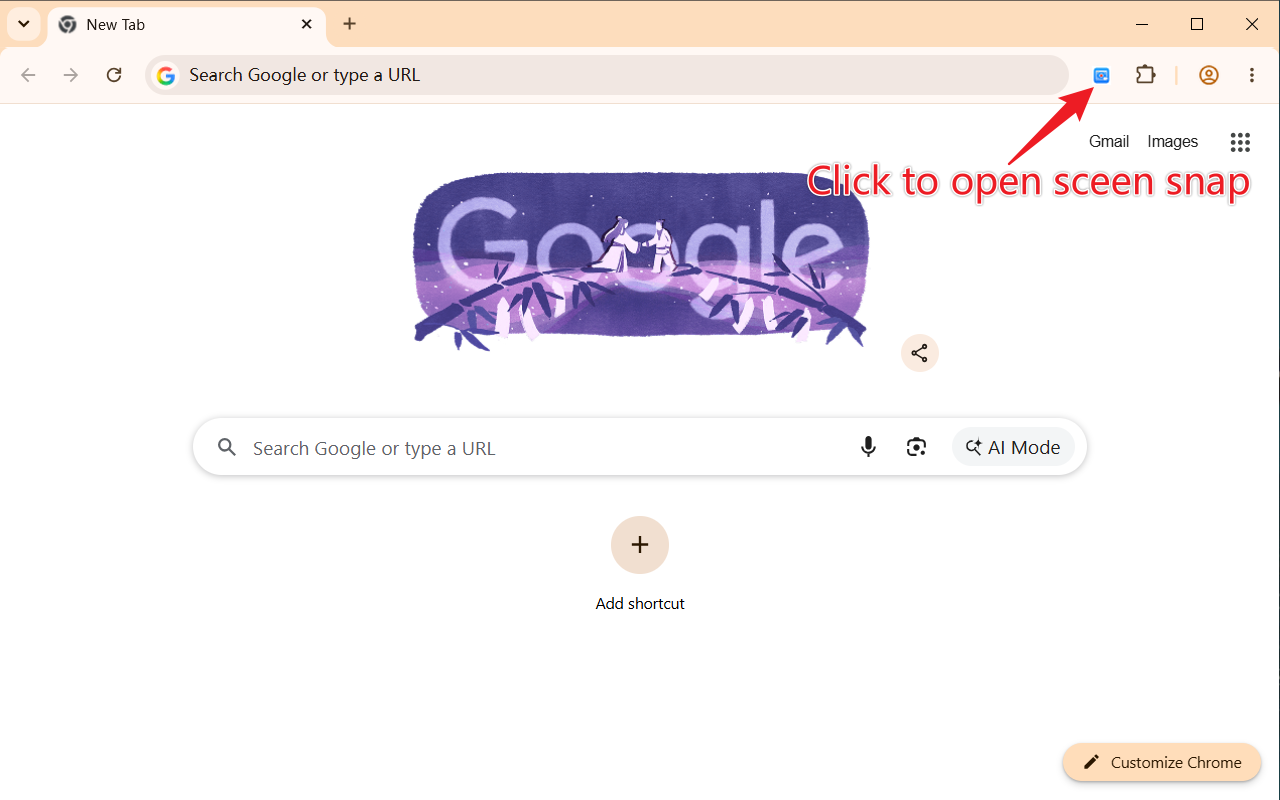
Date: July 8, 2026ScreenSnap - Screen Recorder A lightweight Chrome extension for recording your screen with audio support. Perfect for creating tutorials, demos, and presentations. Features 🎬 Full Screen Recording - Capture your entire screen with ease 🔊 Audio Support - Record audio along with your screen 🏃 Background Operation - Continue working while recording 🌐 Multi-language Support - English and Chinese localization ⚡ Keyboard Shortcut - Quick start/stop with Ctrl+Shift+V (Cmd+Shift+V on Mac) 💾 Auto Download - Recordings are automatically saved to your downloads folder Installation Download or clone this repository Open Chrome and navigate to chrome://extensions/ Enable “Developer mode” in the top right corner Click “Load unpacked” and select the project folder The ScreenSnap icon will appear in your extensions toolbar Usage Open Launcher Click the ScreenSnap extension icon in the toolbar to open the launcher:...
Lemon8 for Desktop
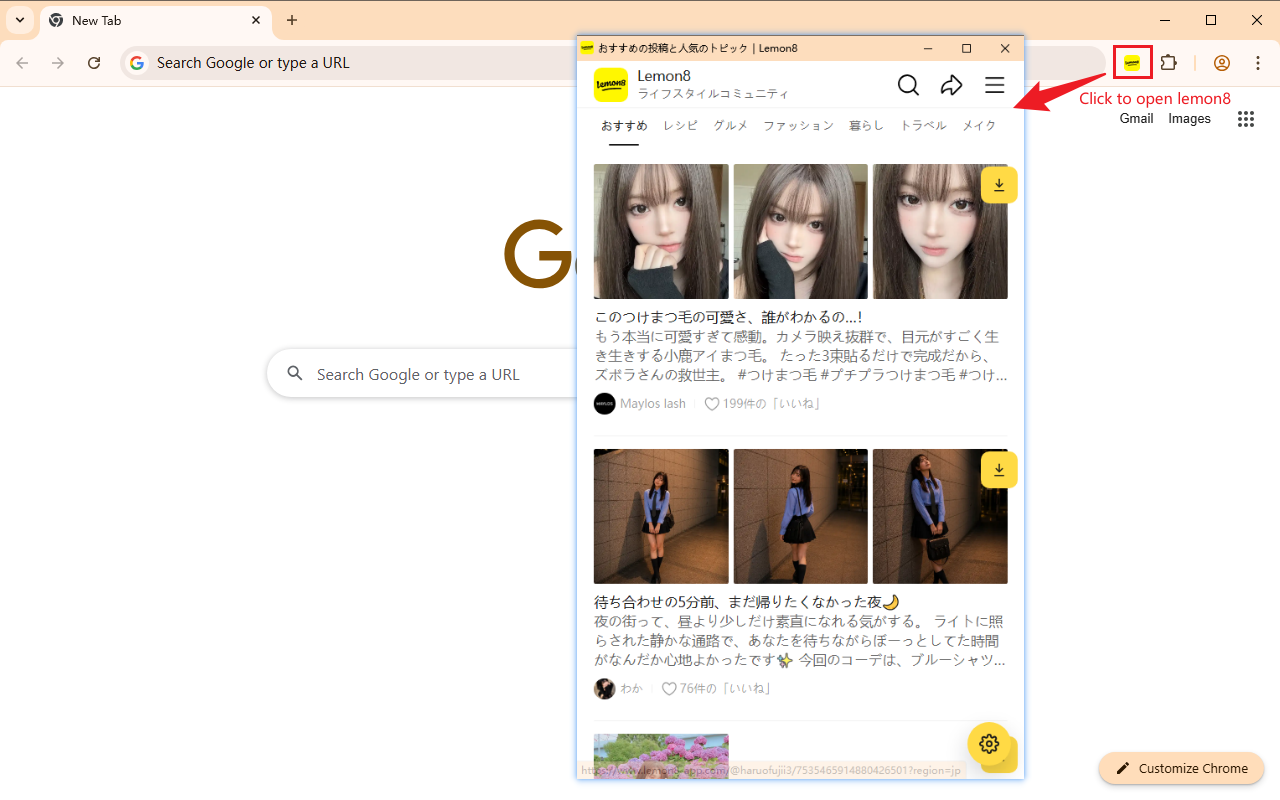
Date: June 16, 2026Lemon8 for Desktop With this extension, you can open Lemon8 for Desktop with a single click. It supports downloading videos and images from the current post for offline viewing and storage. Features: Open Lemon8 for Desktop with one click the interface simulates the mobile experience. Easily download and package posts, images, and videos. How to Use: Install and enable this Chrome extension. Click the Lemon8 icon in the browser toolbar to open the desktop version....
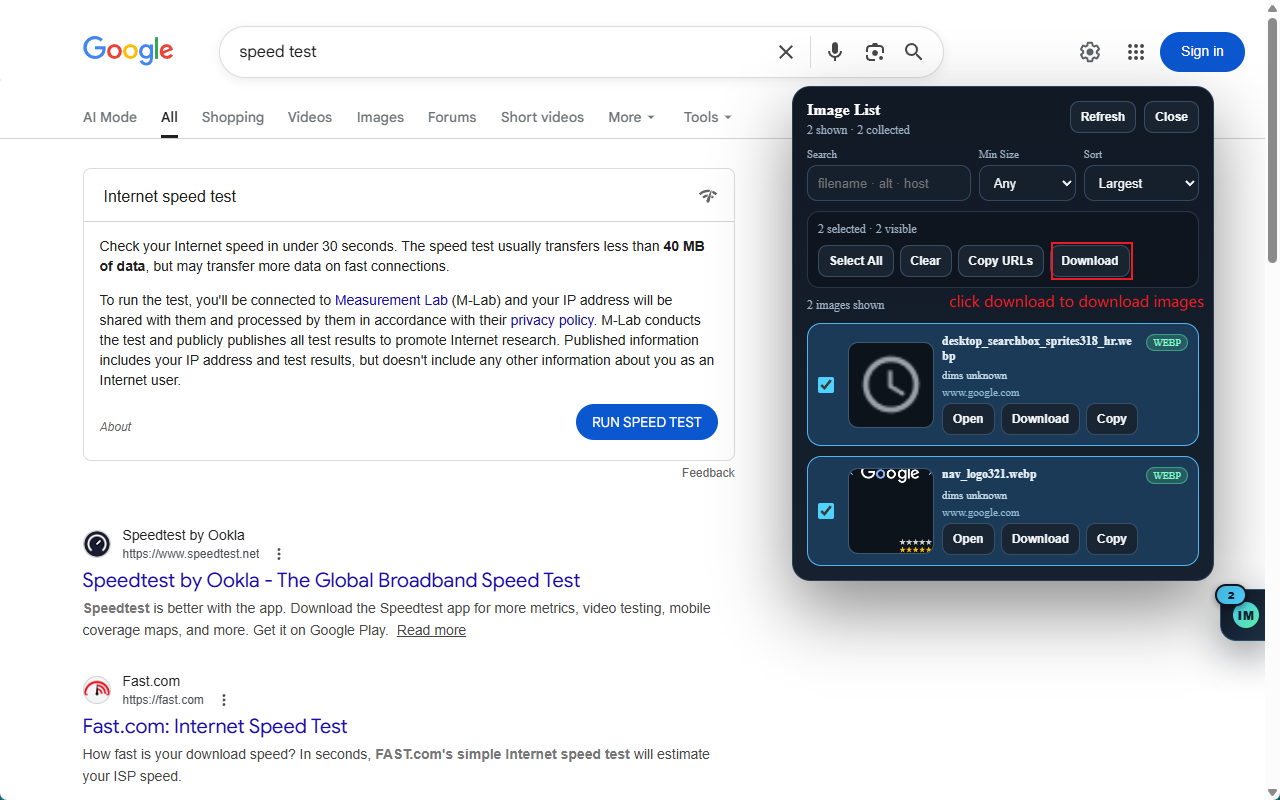
Image Picker
Date: March 25, 2026A lightweight Chrome extension that collects, previews, and downloads all images on any webpage — without leaving the tab. Features Comprehensive image collection — captures <img> tags, srcset candidates, <picture><source>, CSS background images, <video> posters, og:image meta tags, and JSON-LD structured data Modern format support — fully handles AVIF, WebP, and CDN-style URLs with ?format=avif query parameters Live badge — the floating launcher shows a real-time count of images found on the page, updating automatically as the page loads more content Floating launcher — drag to reposition, snaps to the left or right edge of the screen; badge moves to the inner side for visibility Smart panel placement — panel opens to the side of the launcher and flips above when the launcher is near the bottom of the screen Search & filter — filter images by filename, alt text, or host; set a minimum size to hide small icons and thumbnails Sort options — sort by largest, smallest, widest, or tallest Per-image actions — open in new tab, copy URL, or download each image individually Batch actions — select all visible images, copy all URLs, or batch download in one click Click outside to close — click anywhere outside the panel to dismiss it; Esc key also works Usage Navigate to any webpage The floating launcher button appears at the bottom-right corner — the number on it shows how many images were found Click the launcher to open the image panel Browse, search, filter, and sort the collected images Use Open, Copy, or Download on individual images, or select multiple and use the batch action bar Drag the launcher to reposition it; it snaps to the left or right edge Click outside the panel or press Esc to close Reviews 5 out of 5 stars
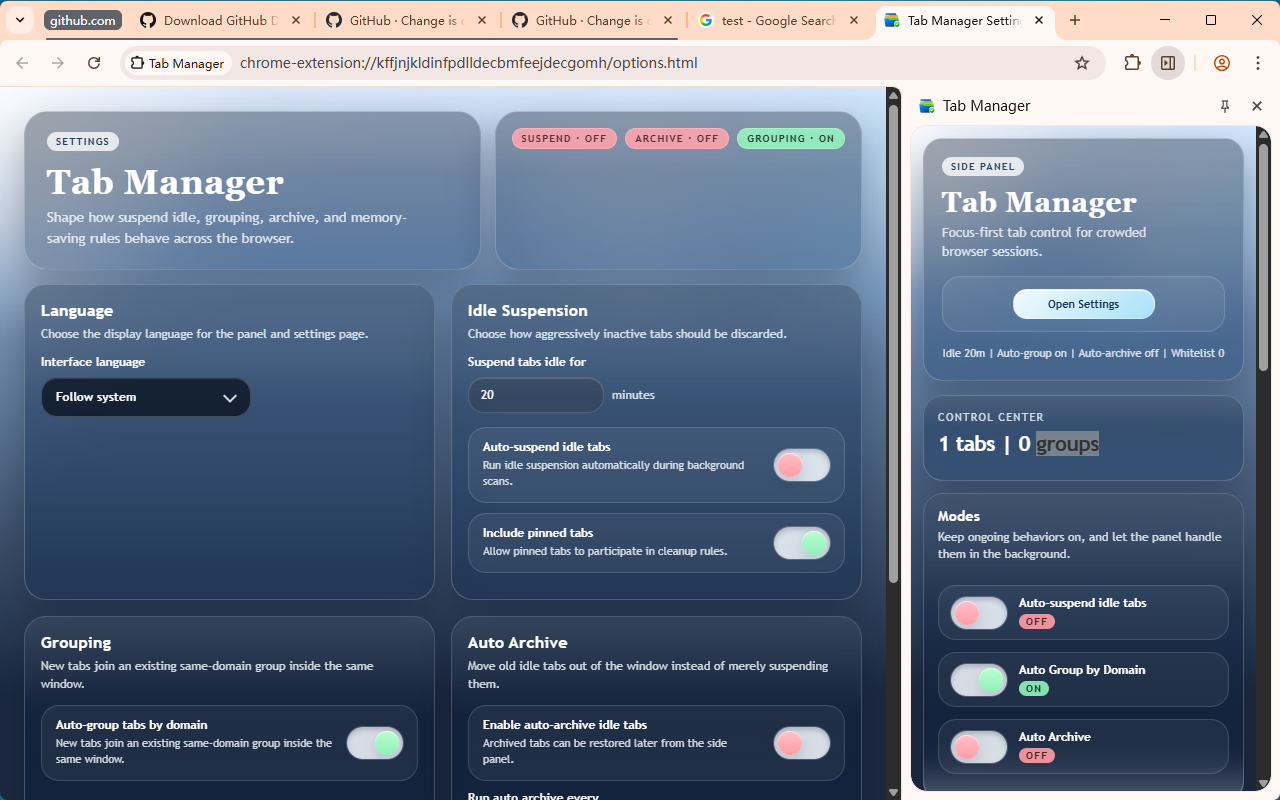
Tab Manager
Date: March 24, 2026Tab Manager is a Chrome extension for keeping tab-heavy sessions under control from a side panel. It combines idle suspension, memory-saving actions, smart grouping, search, snapshots, and archive into one unified workflow. What It Does Tab Control Suspend Idle Tabs — discards tabs idle longer than your configured threshold, keeping them in Chrome so they reload on revisit. Close Duplicates — closes tabs with the same normalized URL, keeping the active one....
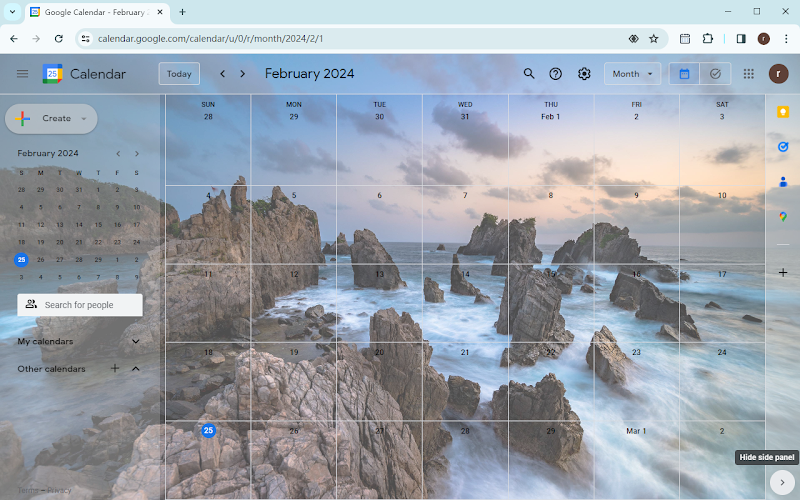
Change Google Calendar Background
Date: February 25, 2024Description: The “Change Google Calendar Background” extension is a Chrome extension that allows users to customize the background of their Google Calendar. With this extension, users can personalize the appearance of their Google Calendar by setting their preferred background image. Key Features: Background Image Customization: Users can input the URL of a new background image via the extension’s popup UI. Save Functionality: After inputting the URL of the new background image, users can click the save button to apply the specified background image to their Google Calendar....
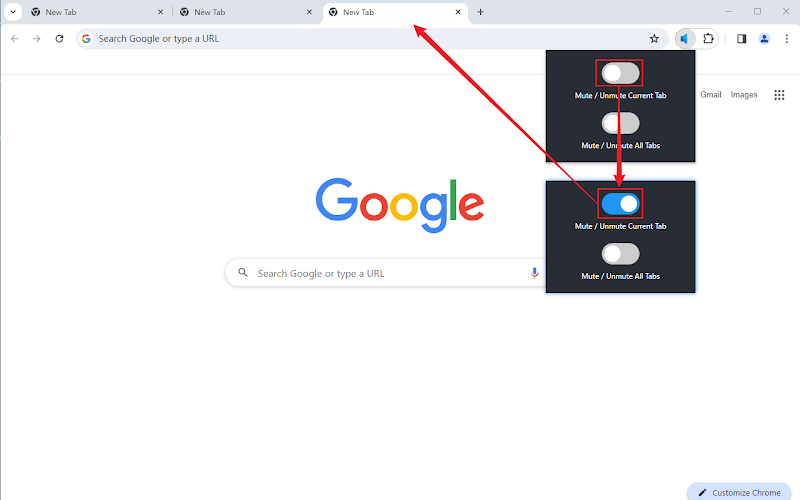
Mute Tabs
Date: January 1, 2024“Mute Tabs” is a browser extension designed for Google Chrome. This tool allows users to mute the audio of individual tabs or all open tabs in the browser. It provides a convenient way for users to control sound playback within their current active tab or across all tabs, enhancing the browsing experience. Reviews 4.1 out of 5 stars
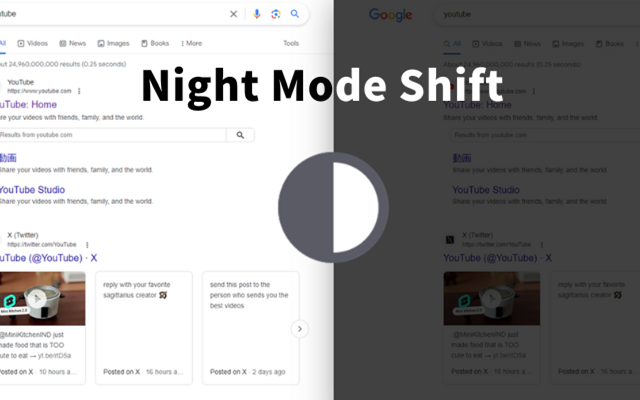
Night Mode Shift
Date: December 14, 2023Enhance Your Browsing Experience Transform your browsing experience with our Night Mode Extension. With just one click, you can switch all websites in your current window to a soothing night mode, reducing eye strain and providing a more comfortable viewing experience. Key Features: One-Click Activation: Easily toggle night mode on and off with a single click. Customizable Colors: Personalize the night mode by selecting your preferred colors and their intensity....